Currencies, exchange rates and the converter
On this page
The Currencies page shows how the world's currencies trade against each other and the U.S. dollar, and it includes a converter for working out what an amount is worth in another currency.
#The pairs
Open Currencies in the Finance section bar.
The first card has four tabs: Majors (the most traded pairs, such as the euro against the dollar), Crosses (pairs that do not involve the dollar), Emerging and Dollar index (the dollar against a basket of major currencies). Each row shows the rate, the change, a small chart for the day and range bars. A pair such as EUR/USD reads as the price of one euro in dollars: a rate of 1.12 means one euro buys 1.12 dollars. Select a pair to open its page.
#World currencies
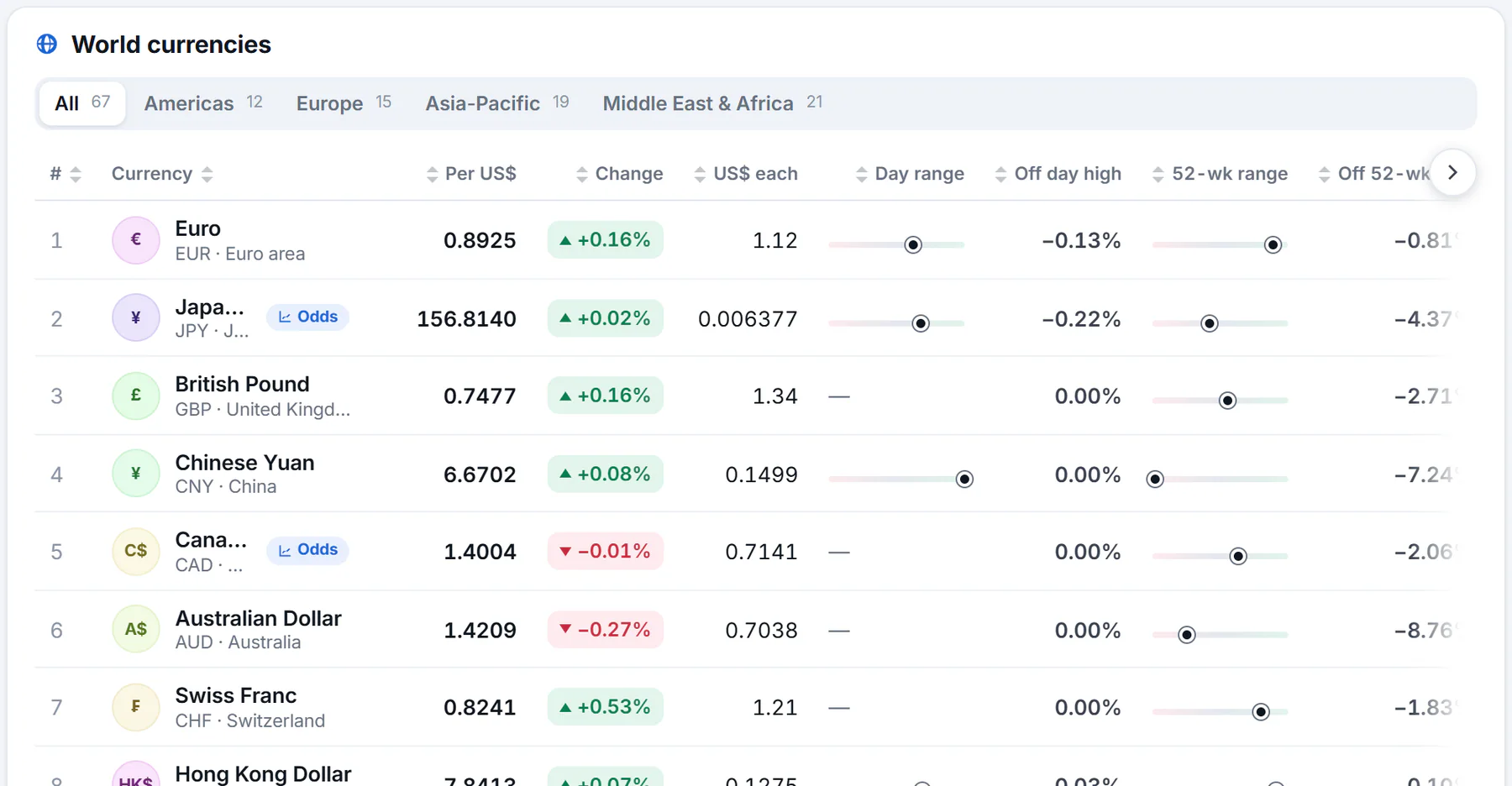
Each currency against the U.S. dollar. Use the region buttons to narrow the list.
- 1Filter by region
- 2Units of the currency one dollar buys
- 3Dollars one unit buys
The World currencies card lists 67 currencies, the most traded first, each against the dollar. Region buttons, with a count on each, narrow the list. The columns are:
- Per US$: how many units of the currency one U.S. dollar buys.
- US$ each: how many dollars one unit of the currency buys.
- Change and the Day range, Off day high, 52-wk range and Off 52-wk high columns, and a small chart for the day. See Sort tables and read the range columns.
#Convert an amount
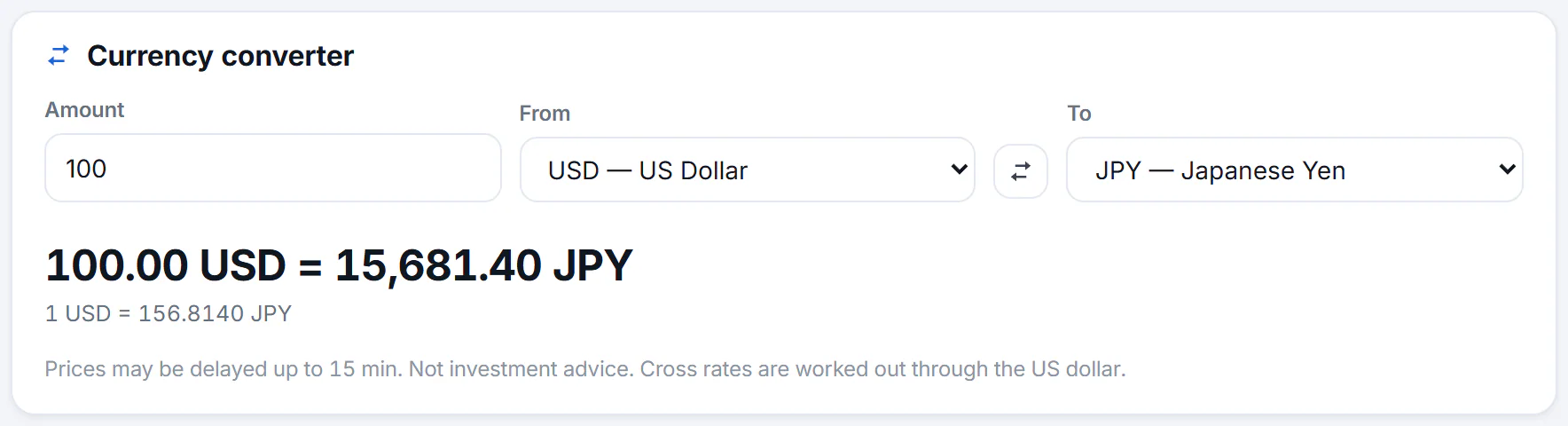
The converter. The result shows the amount converted and the rate for one unit.
- 1The amount
- 2Convert from
- 3Swap the two currencies
- 4Convert to
- 5The result and the rate used
- In Amount, type how much you want to convert. It starts at 100.
- Choose the currency you have in From and the one you want in To.
- Read the result, such as 100.00 USD = 15,681.40 JPY, with the rate for one unit underneath. It updates as you type or change either menu.
The button between the two menus swaps them. Any two of the listed currencies can be converted; a pair that does not involve the dollar is worked out through the dollar. The note under the card says so, and that prices may be delayed up to 15 minutes.
#Common questions
What is the dollar index?
A measure of the U.S. dollar against a basket of major currencies. When it rises, the dollar is strengthening against them. Its page works like any other.
Why does the converter's rate differ from another converter or my bank?
Rates move constantly, and every source takes its numbers at a slightly different moment and with its own margin. Finance's figures may be delayed up to 15 minutes.
Does the converter keep my amounts?
No. Nothing you type in it is saved.